
Add vehicle
Find or register the customer and plate in seconds.
Features
Vehicles, jobs, spare parts, invoices, and staff stay on the same record — so the floor and the owner see the same work.
Product tour
Jobs, parts, customers, and invoices stay on one record — so the floor and the owner see the same work.
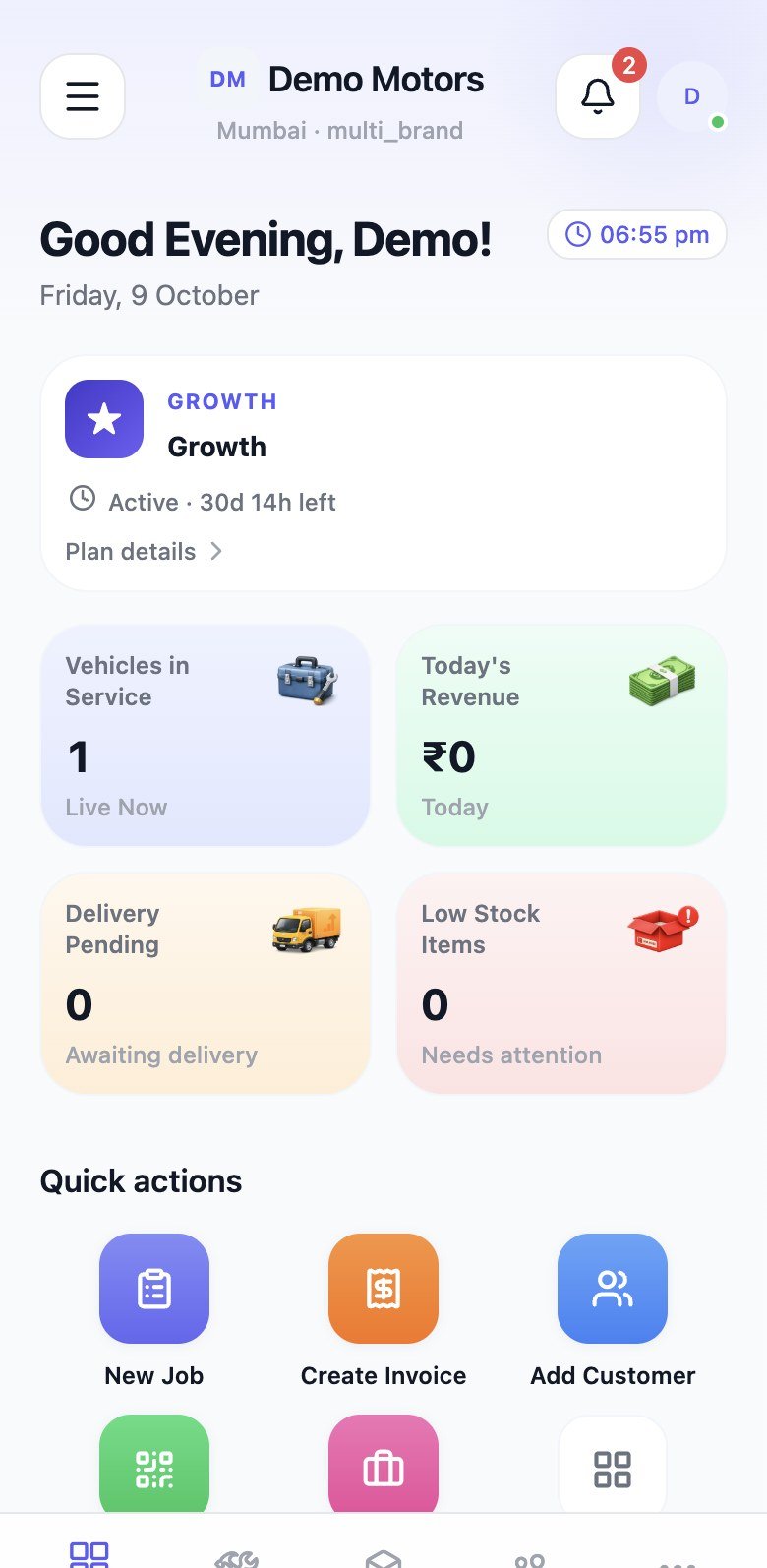
Dashboard
Jobs, revenue, and quick actions
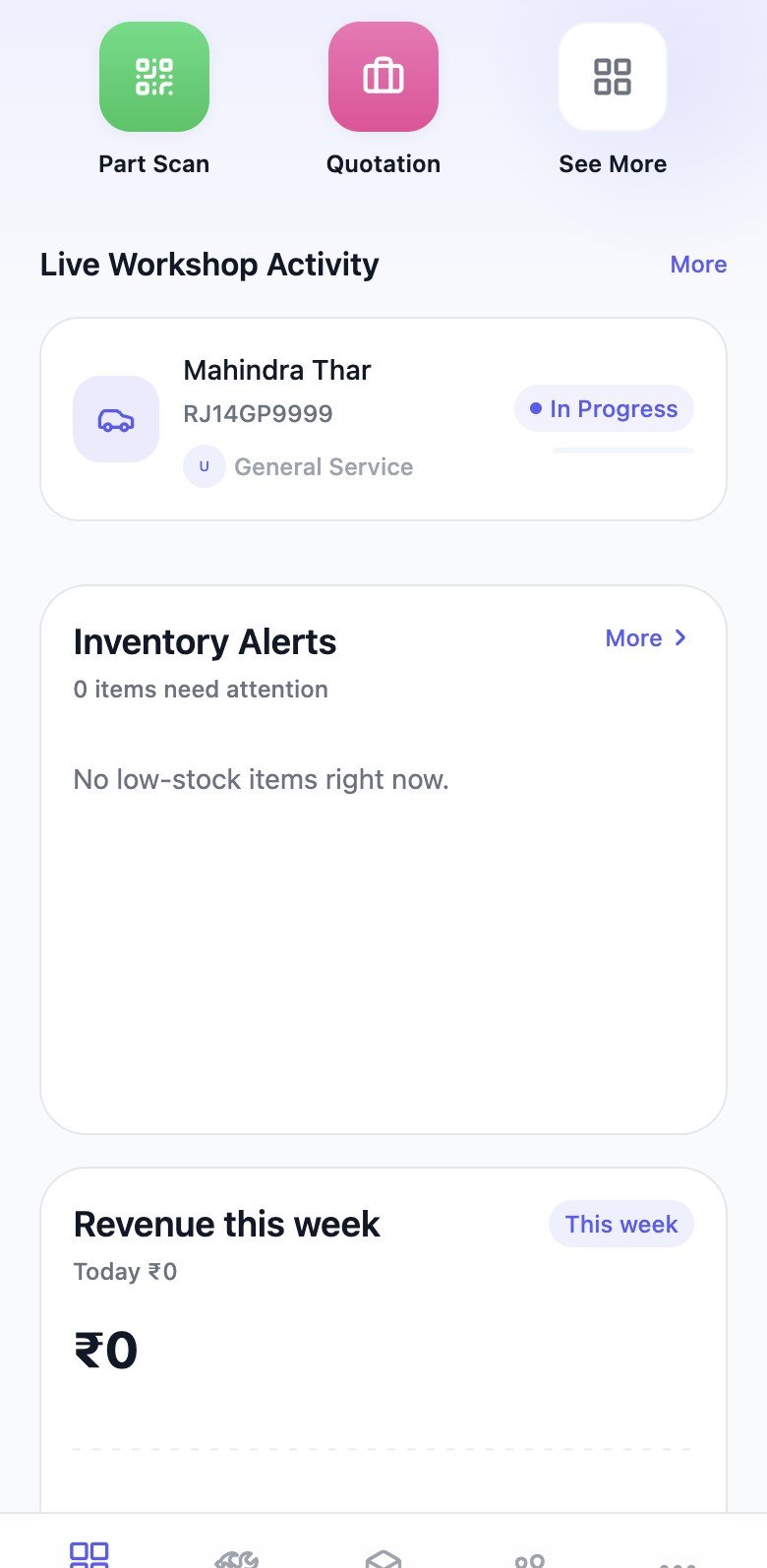
Live activity
What’s moving on the floor
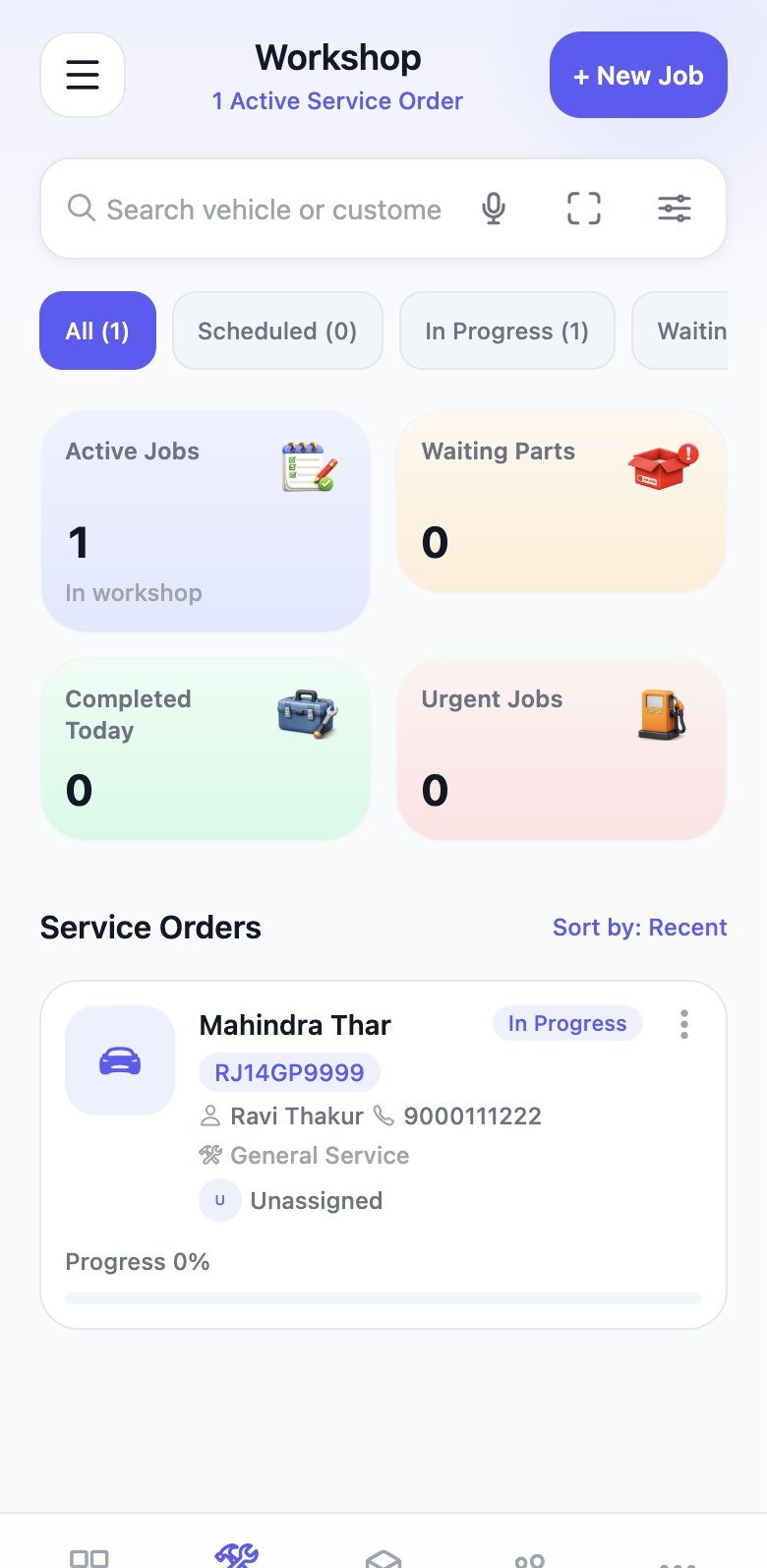
Workshop
A shared board for every bay
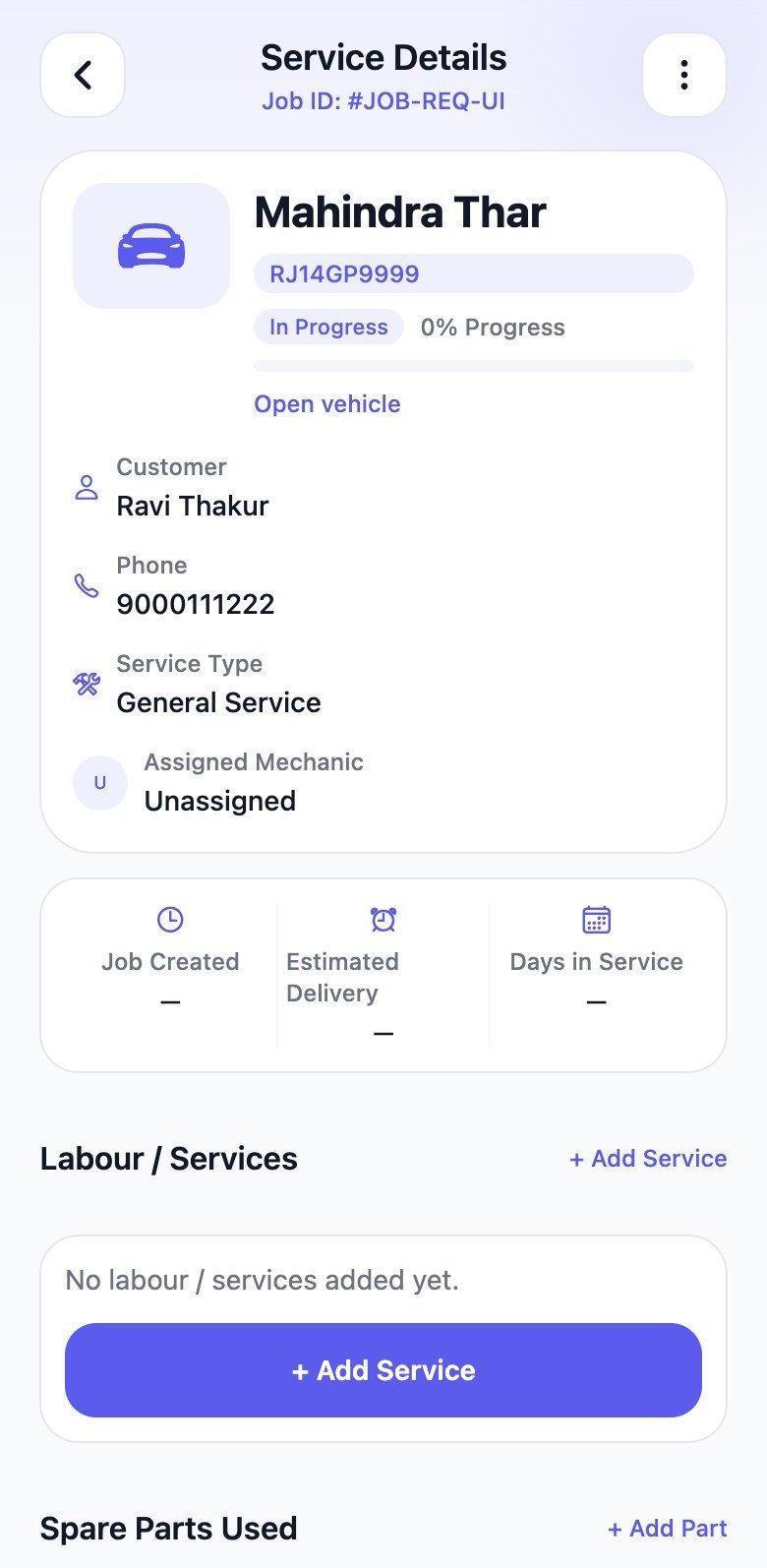
Job details
Customer, labour, and ETA
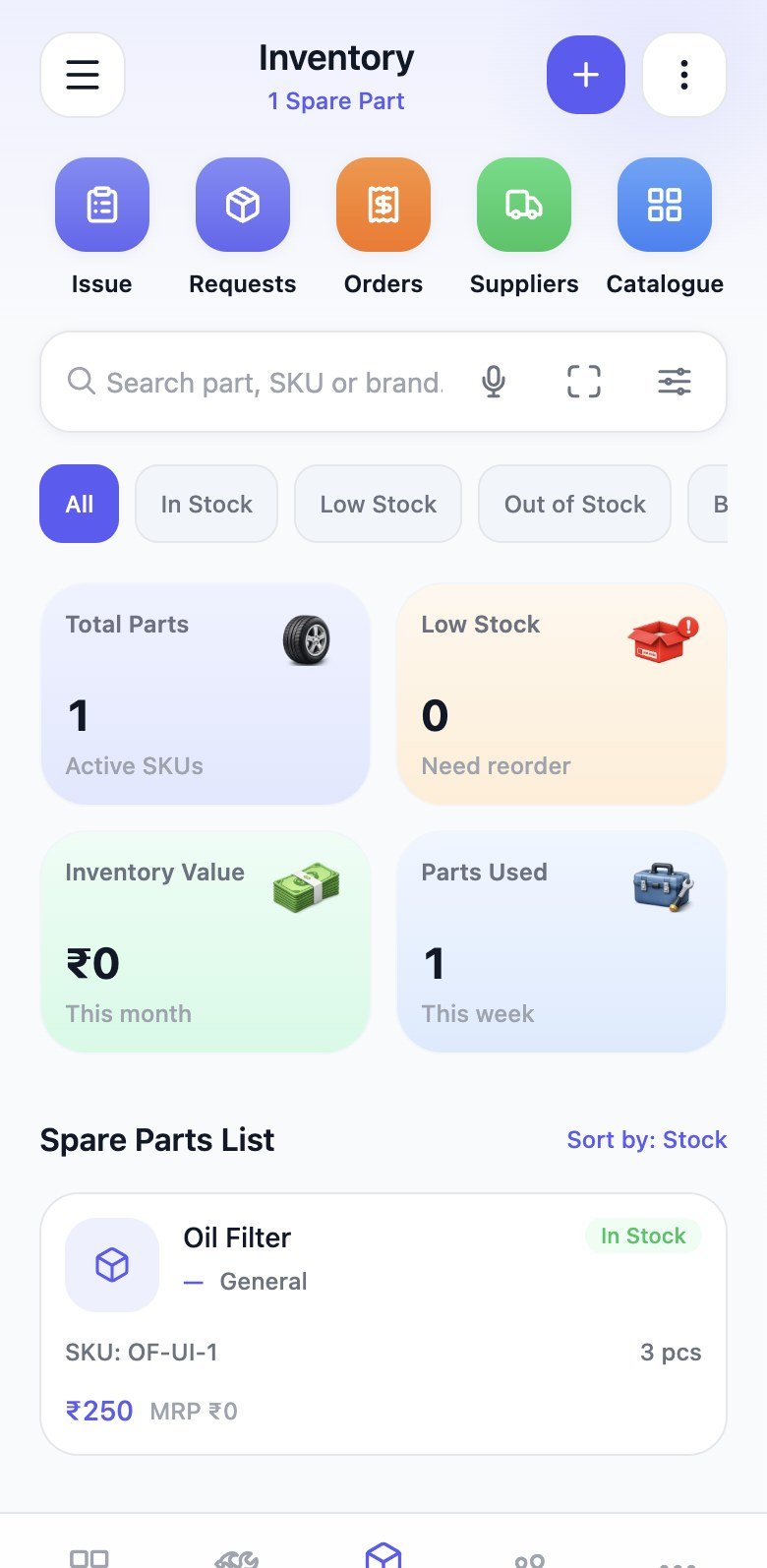
Inventory
Stock, SKU, and reorder alerts
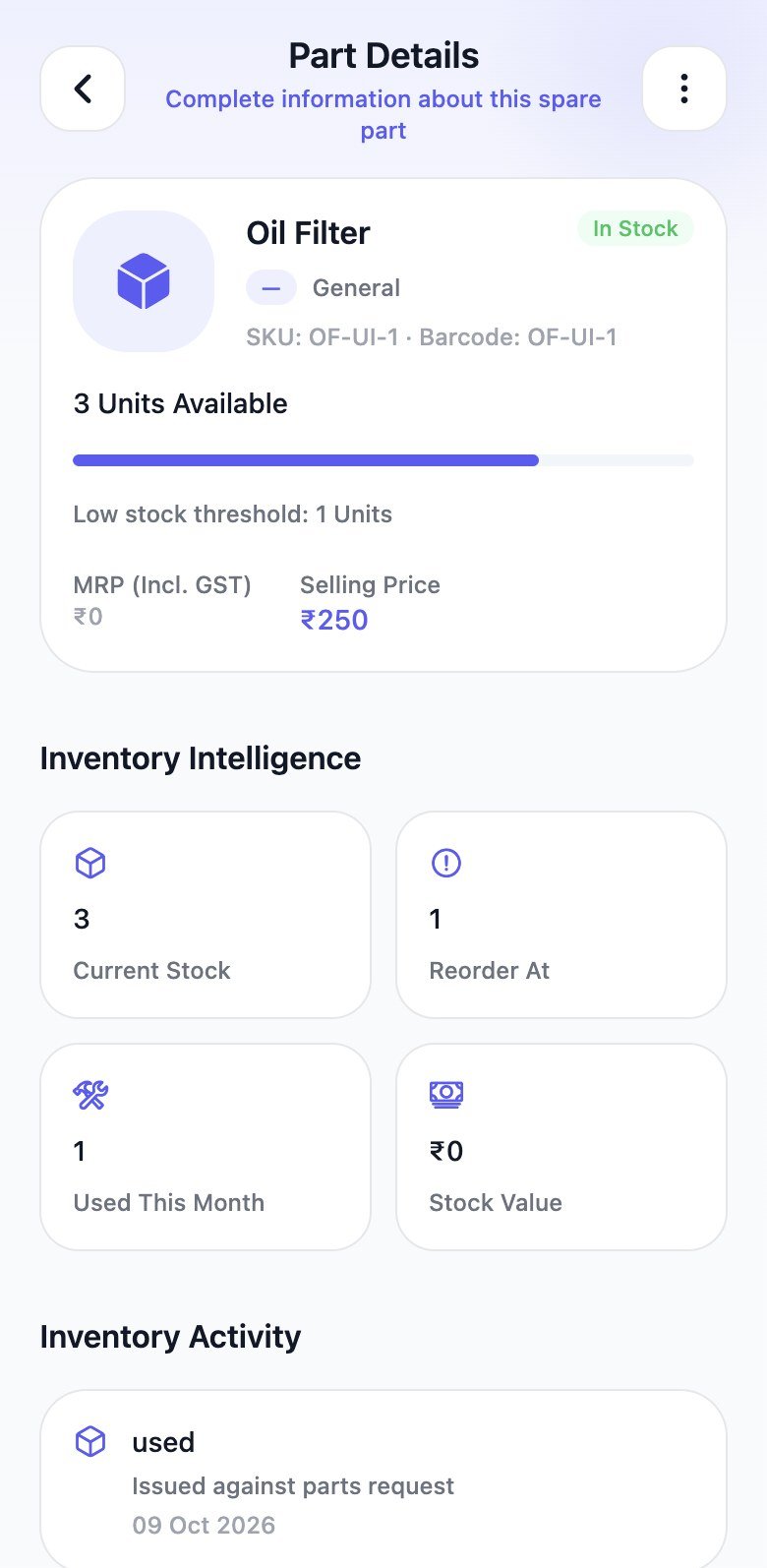
Part file
Units on hand and usage
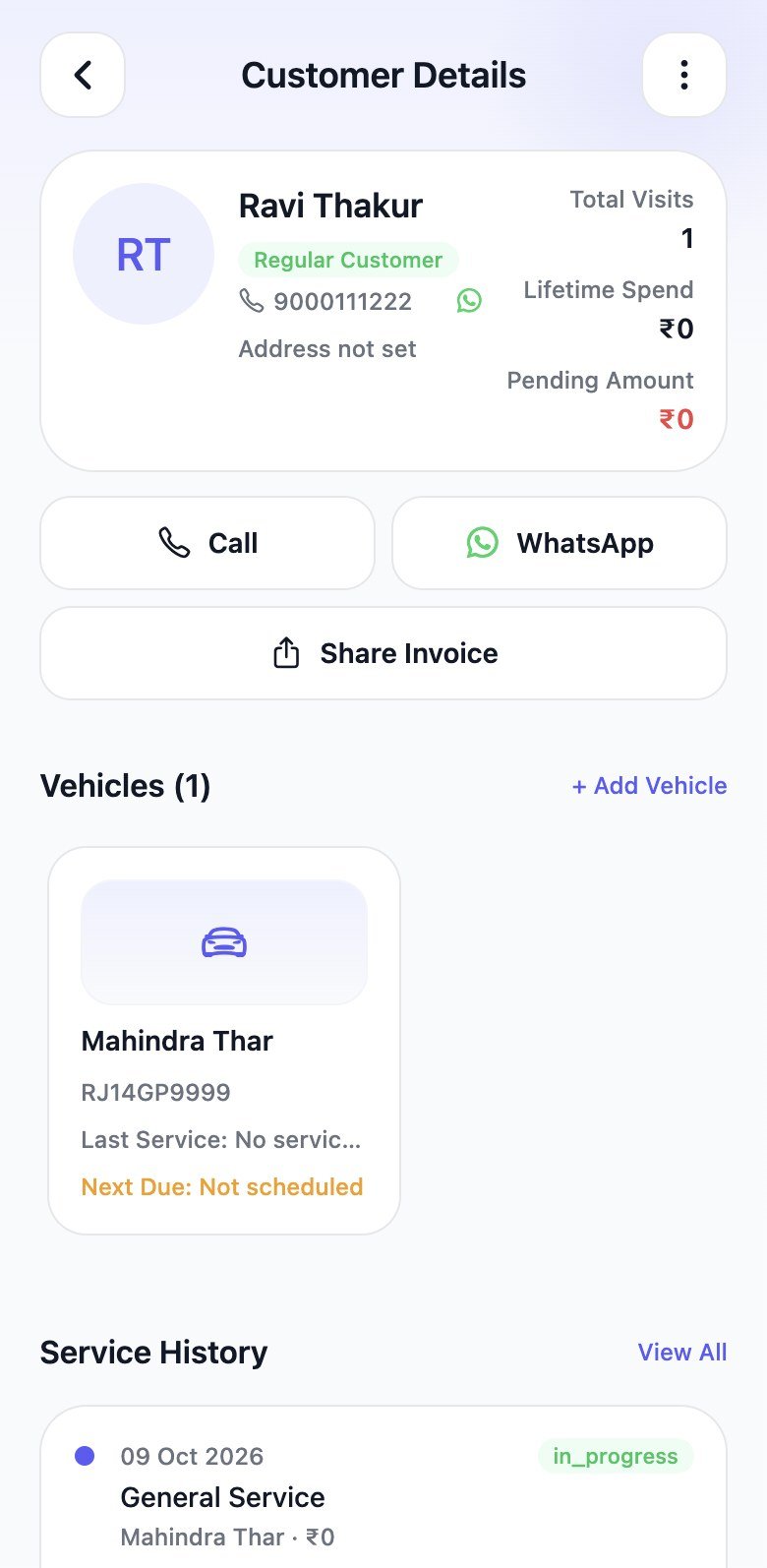
Customers
Vehicles, spend, and history
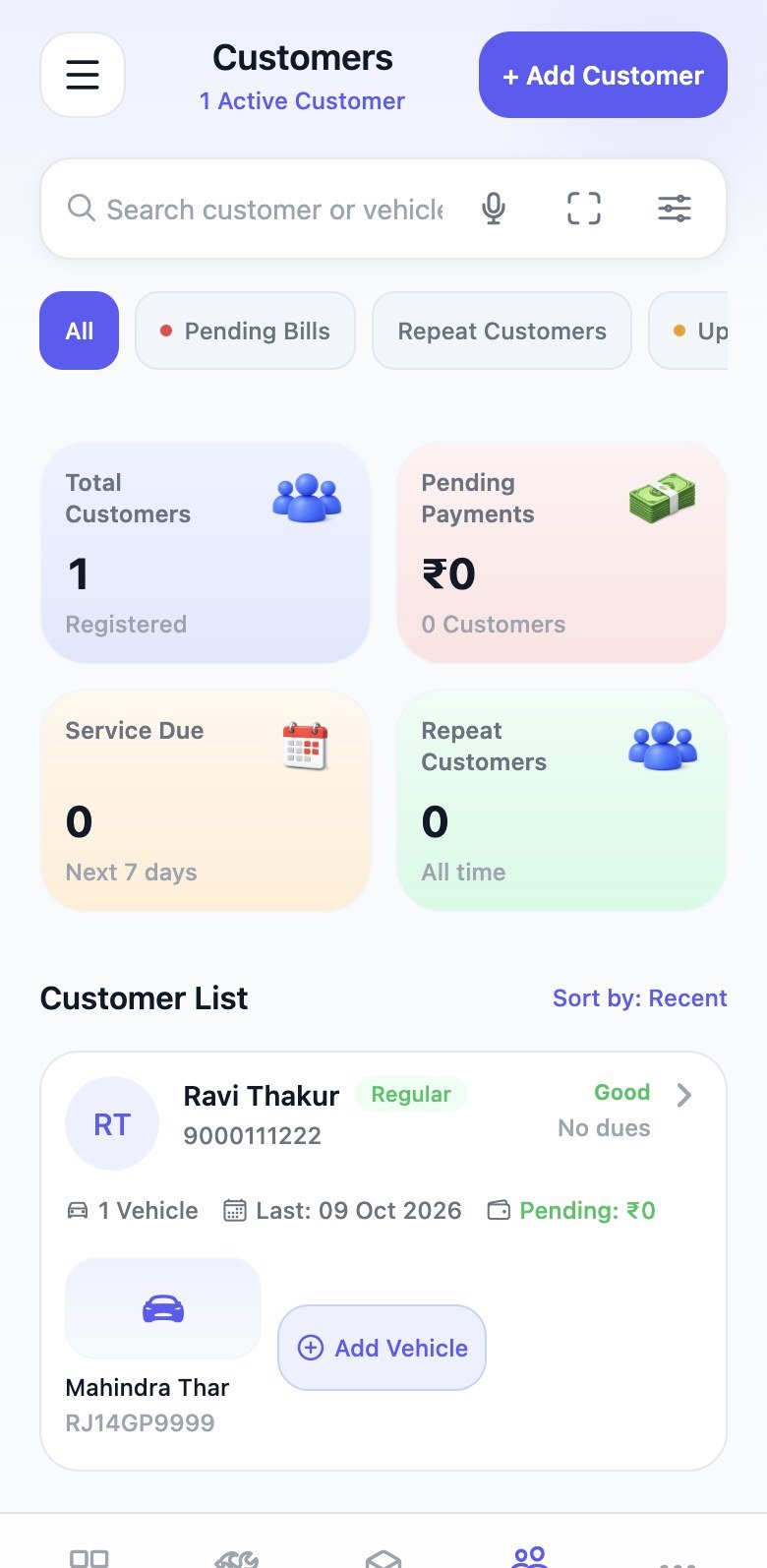
Follow-ups
Bills due and service reminders
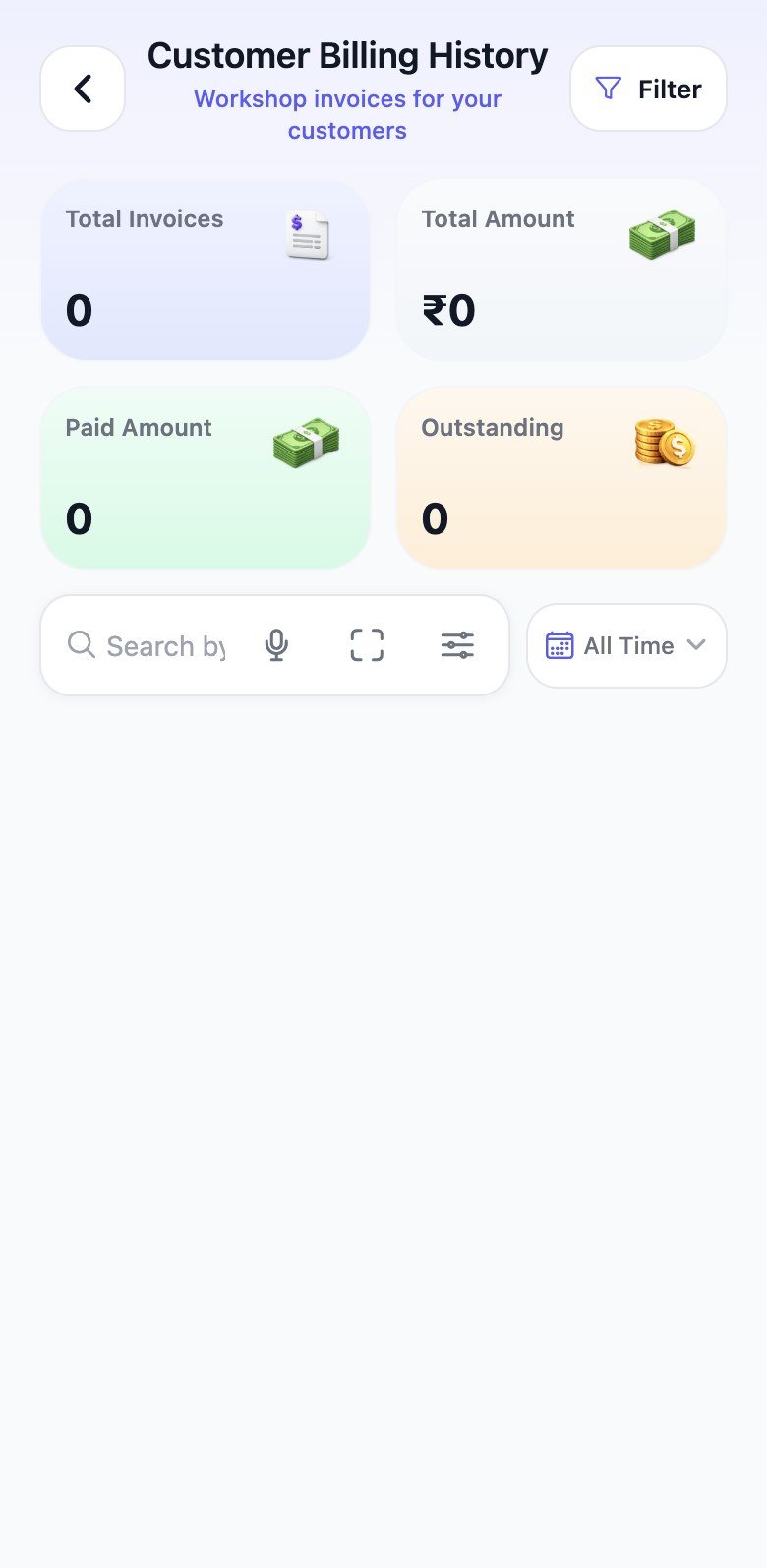
Invoices
Paid, pending, and overdue
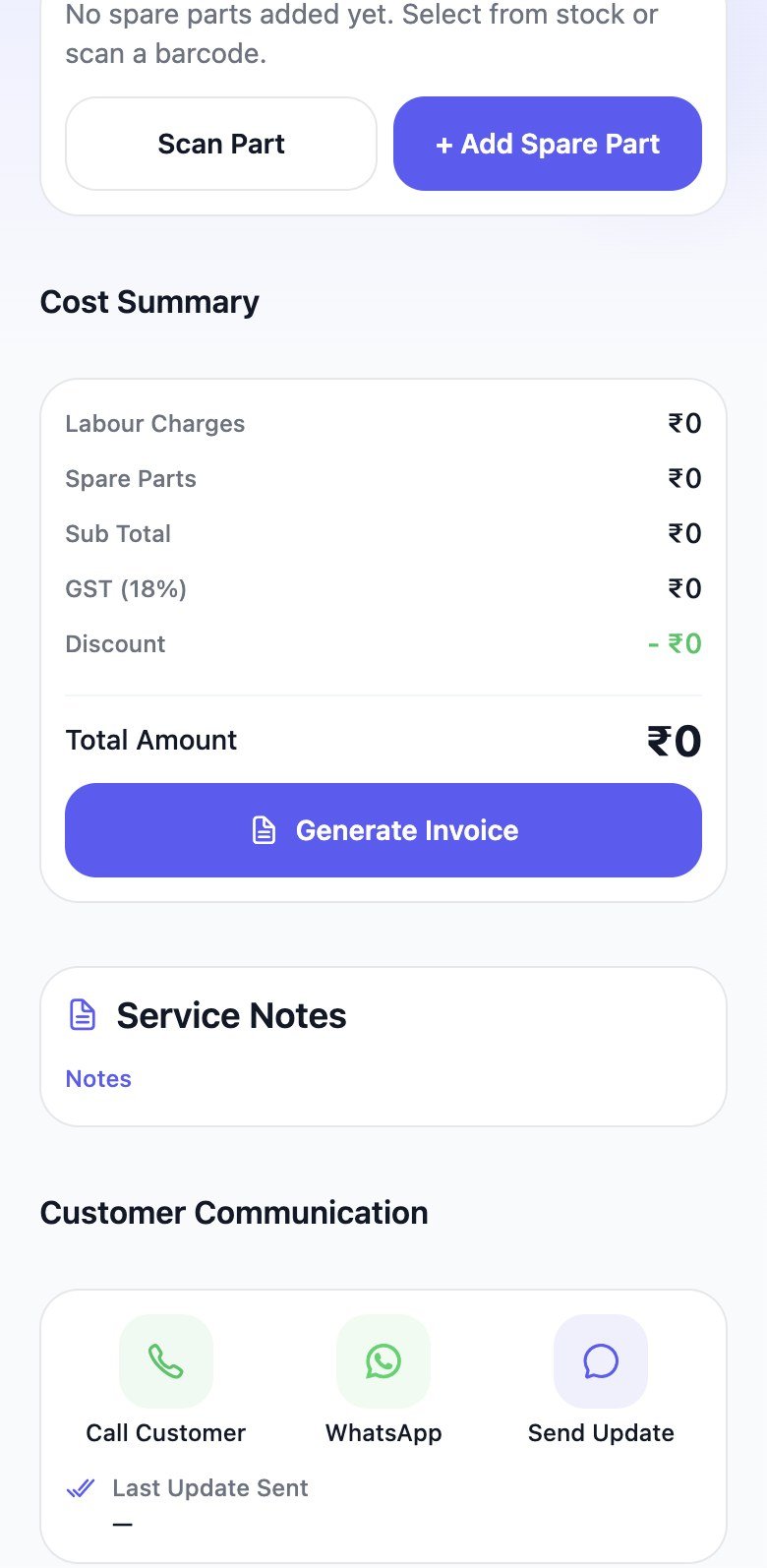
Billing
GST from labour and parts
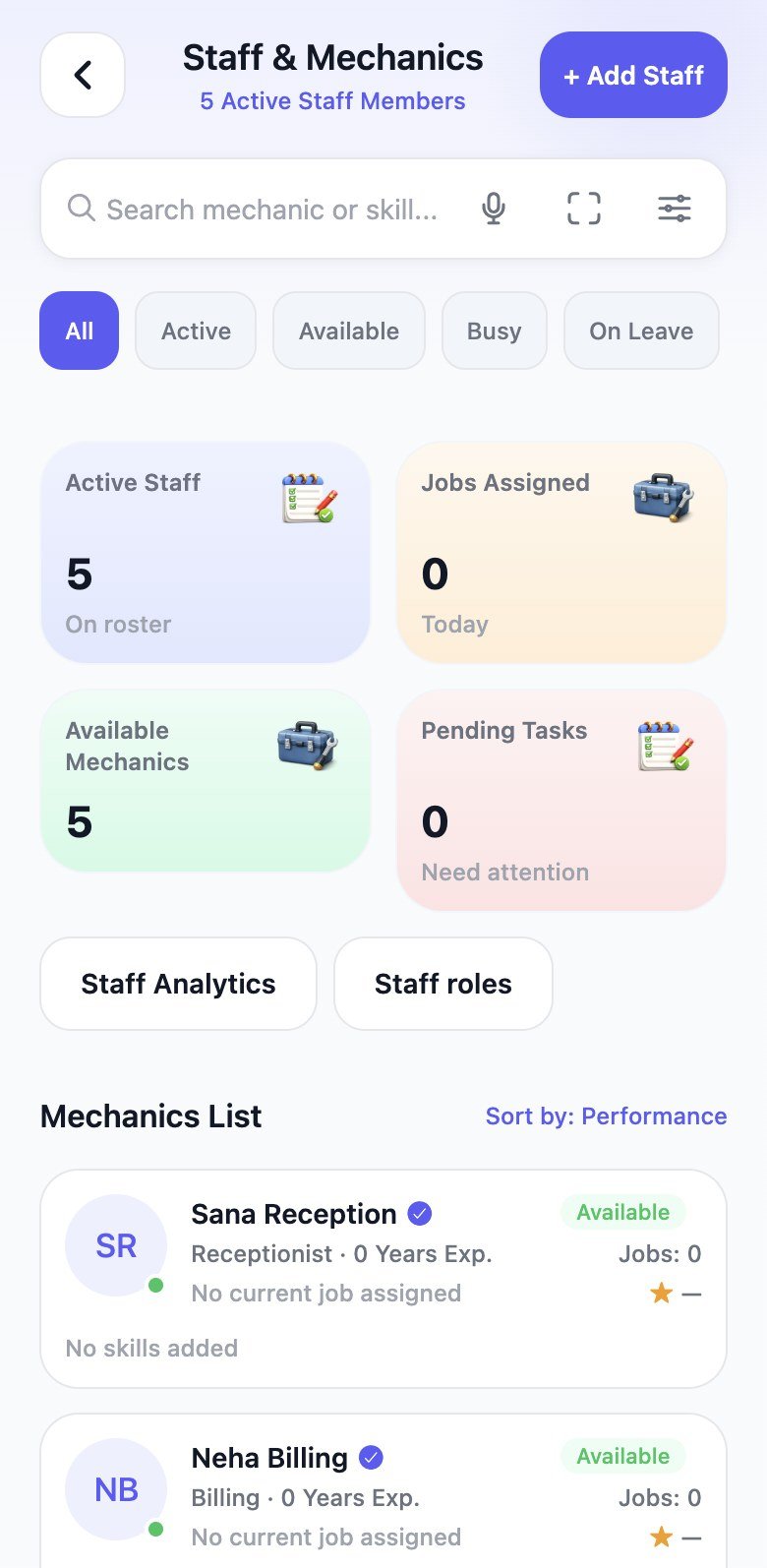
Staff
Who’s free and who’s on a job
Owner dashboard
Live jobs, revenue today, low stock, and pending deliveries sit on one screen — so the owner can answer “how is the shop today?” from a phone.
Live activity
In progress, waiting on parts, and completed jobs stream in one list. Low-stock alerts sit above the board so missing filters don’t surprise the next car.
Workshop
Open a job, assign a mechanic, and filter All / In progress / Waiting parts / QC. Search by vehicle, use voice, or scan a plate from the same screen.
Job details
Service details keep the vehicle, customer, assigned mechanic, labour lines, and delivery estimate together — the floor and the owner see the same work.
Spare parts
SKU, brand, selling price, and reorder alerts stay attached to parts you actually fit. Filter in stock, low, out of stock, and search by SKU, voice, or barcode.
Part file
Open a part to see units on hand, reorder threshold, stock value, usage this month, and supplier — then scan it onto the job when it is fitted.
Customers & vehicles
Name, phone, vehicles, spend, pending bills, and next service due live together. Call or WhatsApp from the file when a reminder is needed.
Follow-ups
Recommendations flag overdue service and outstanding invoices. Send a reminder, open a job, or generate an invoice from the same screen.
Customer billing
Workshop invoices for your customers list totals, vehicle, and status. Filter and search the history the same way you run the floor.
Bill from the job
Parts used on the job, labour, subtotal, GST, and discount assemble into a cost summary. Scan another part or generate the invoice without retyping lines.
Team
Staff and mechanics with availability, skills, and experience. Invite login seats and assign owner, admin, mechanic, stock, or billing roles.
Full capabilities
Dashboard, workshop, inventory, customers, billing, staff, reports, and garage settings — in one mobile app.
Greeting, plan card, vehicles in service, revenue today, and quick actions.
All, in progress, waiting parts, QC, and ready — with progress on each job.
Customer, mechanic, labour lines, parts used, notes, and ETA.
Create and share a quotation, then convert it to an invoice.
In stock, low, critical, and out of stock with SKU and brand.
Scan a part to open the file, prefill add-part, or issue it to a job.
Reorder from suppliers and receive stock back into inventory.
Plates, history, VIP tags, pending amount, and next service due.
Reach the owner from the customer file without copying a number.
Service-due and pending-bill follow-ups from the customer screen.
GST-ready bills, paid/overdue status, and shareable PDFs.
Mechanics, skills, availability, and a team leaderboard.
Invite seats and assign owner, admin, mechanic, stock, or billing.
Jobs, revenue, and inventory health for the owner and admin.
Search parts or vehicles by voice; scan a number plate on the floor.
Hours, GST %, currency, payment methods, and invoice branding.
Product tour
Choose a module to preview jobs, parts, billing, and staff — the same tools your team would open on the floor.
Vehicle & customer file
Every owner, plate, service history, and spend sits in one place — not across notebooks.
How it works
From vehicle at the gate to a closed job — everything stays connected so the floor and the owner see the same work.
Find or register the customer and plate in seconds.
Add services, assign a technician, and set an ETA.
Pull stock onto the job so inventory stays accurate.
Labour, parts, and GST become a shareable bill.
Take payment, close the job, and keep the history.
Built for every role
Owner, advisor, technician, stock, and billing each see what their role allows — on the same workshop record.
Live jobs, revenue, stock, and outstanding bills — without waiting for an evening report.
Create customers and vehicles, open jobs, send updates, and keep every bay moving.
See assigned work, log parts used, pause or resume, and tick QC without a paper checklist.
Catalog, barcode, purchase orders, and low-stock alerts before a customer is waiting.
Estimates, invoices, and payments from the same job — not a separate accounts machine.
Ready to get started?
Run intake, jobs, parts, invoices, and payments from a phone. Start on Android today — iPhone is coming soon.